
The traditional way to practice shooting is static. You stand in one spot. You shoot at an empty net (or a “shooter tutor” with holes in the corners). You repeat until your arms are tired.
While this builds muscle, it ignores the reality of the game. In a real match, the angle changes, the goalie moves, and the pressure is on.
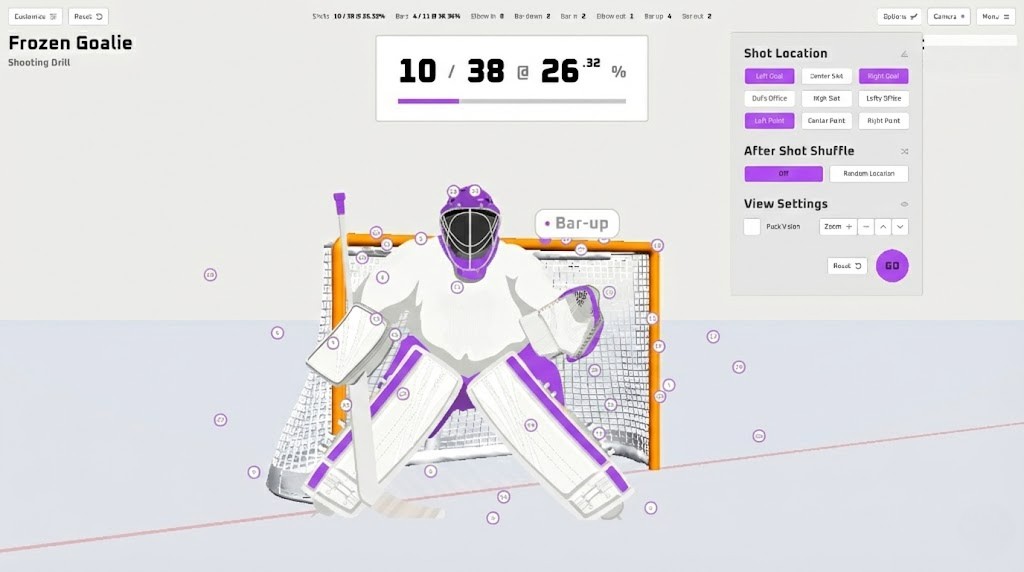
The Core of the System
The SnipeZone Simulator is the brain behind the operation. It is the central hub that collects data from our radar and cameras, processes it instantly, and projects it into a virtual 3D environment. It transforms a garage or training center into center ice.
1. The Virtual Environment vs. Static Nets When you shoot at a physical net in a driveway, you are limited by physics. The net is where it is. In the SnipeZone Simulator, the “puck” (digitally) can be placed anywhere.
Dynamic Angles: You can set up drills that force you to shoot from the severe angle of the goal line, or from the high slot.
The Virtual Goalie: We have created the most realistic goalie experience without making it gimmicky. Move the goalie wherever or which position you desire and train your weakpoints effectively.
2. Drills & Modes: Gamifying the Grind To keep retention high, we have split the software into two distinct focus areas:
Training Mode (3 Drill Types):
Precision: Hit moving targets that shrink as you get better.
Quick Release: A “Whac-A-Mole” style drill where you must fire the puck instantly when an opening appears.
Power: Pure velocity training with immediate feedback.
Gaming Mode (3 Multiplayer Games):
Challenge a teammate or a friend. These modes turn training into a competition, simulating the pressure of a shootout or a skills competition.
3. The Feedback Loop The moment your puck hits the impact screen, the software displays your “Stat Card”:
Speed: How hard was it?
Accuracy: Did you hit the spot?
Release Time: How fast did you load the stick?
After the session, you don’t just walk away sweating. You walk away with a report. You can see if your accuracy drops when your power increases, allowing you to find your “optimal shooting zone.”
The hardware sees the shot, but the Simulator Software gives it meaning.